Custom Medical Labels
 The information provided on medical labels is extremely important. The United States Food and Drug Administration (FDA) makes it a requirement for each label to include:
- Name and Place of Business
- Intended Use
- Clear Directions
- Allergy Information
- Side-effects
There can be no false information on the labels. Having false or misleading information can lead to lawsuits against the company. Another requirement of the labels is that they need to be durable. It should be able to withstand a lot of handling and stick onto surfaces for a long period of time.
While the guideline is very strict, it does help prevent the risk of taking medication. Taking the wrong dosage of medication can have very serious side-effects and in worse case scenarios, death. Patients need to always have clear and concise information on the product to assist them in using the product properly. Generally, everything on the label is written in layman terms to make it as easy as possible for the reader to understand.
Multi-Layer Labels
It can be difficult to provide all the information necessary on one label. In order to get around this issue, many businesses create multi-layered labels (also called expanded content labels). A hinge attaches the label onto a pressure-sensitive label. They don’t have any adhesive, which is why on pharmacy vials, the label will slightly stick out. This makes it easier to peel the label back and access the additional information.
Eye-Popping Design
While the information on the label is important, it’s also important to have a unique design. The design should make it easy for people to read the directions, but it should also be appealing. Having a unique shape or design can make it easier for people to notice your products.
Printing to Meet High Demand
In the medical field, labels are always in demand. Pharmacy labels, barcodes, bandages, surgery equipment, etc. With so many items needing labels, it can be difficult to stay on top of everything. Having the right printer can help you and the facility stay on track and not fall behind.
Which Printer Should You Choose?
There are many great printers out there. However, one of the better options is the Epson ColorWorks C3500. It will allow you to print all the labels needed at high speeds and high-quality. From shelf tags to product labels, the C3500 is suitable for all major applications. It will save you time by not having to rely on third-party companies and most importantly, it will reduce the label cost and save you money.
LabelBasic Can Help
When you work with LabelBasic, you will be able to keep up with high demands while maintaining excellent quality. We make sure the labels are durable and smear-proof. It can be frustrating to have a label come out great only for it to become damaged later on. We at LabelBasic think it’s time for you to free yourself from these frustrations.
Contact our experts today to find the printer you’ve been waiting for!
Medical Labels
Showing all 9 results
-
Epson Label Printers, Colour Label Printers
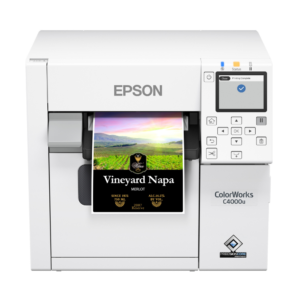
Epson ColorWorks CW-C4000 Color Inkjet Label Printer
A powerful and compact on-demand commercial color label printer
- Matte or Gloss – Select Matte Black or Gloss Black Ink to suit your style; printer locks to chosen ink for uniform results.
- High-Resolution Printing – Up to 1200 dpi with variable sizes for vivid, sharp labels.
- Wide Compatibility – Supports ZPL II, major middleware, SAP, Windows®, Mac®, and Linux.
- Optimal Media Integration – Uses Epson C4000 Label Rolls for smooth, top-quality prints.
- Enhanced Durability – Produces labels resistant to smudging, water, and fading, fit for various uses.
SKU: n/a -
Epson Label Printers, Colour Label Printers
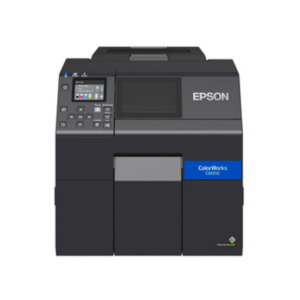
Epson ColorWorks CW-C6000A Color Inkjet Label Printer with Auto Cutter
 Epson Label Printers, Colour Label Printers
Epson ColorWorks CW-C6000A Color Inkjet Label Printer with Auto Cutter
Quality 4″ color label print and cut at a price comparable to thermal transfer.
- Quality Color Printing – Enjoy high-quality 4″ color label printing with a resolution of up to 1200 dpi, delivering crisp images comparable to pre-printed labels.
- Reliability – Engineered for demanding applications, the CW-C6000A is backed by industry-leading service and support from Epson, ensuring consistent performance.
- Efficient Productivity – Say goodbye to pre-printing as this printer eliminates the need, allowing you to print labels on-demand at speeds of up to 5″ per second, with a fast time to the first label.
- Seamless Integration – Compatible with ZPL II, major middleware, SAP, Windows®, Mac®, and Linux, this printer seamlessly integrates into your existing workflow.
- Auto Cutter – The built-in auto-cutter speeds up the application process, enabling easy job separation and enhancing efficiency.
- Versatility – Choose between matte or gloss versions to suit your specific printing needs. The matte option offers bold and sharp prints, while the gloss version is versatile for various materials.
SKU: C31CH76101 -
Epson Label Printers, Colour Label Printers
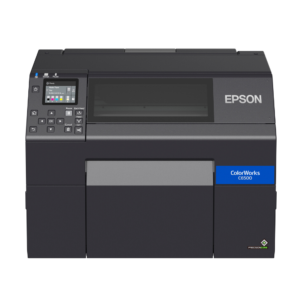
Epson ColorWorks CW-C6500A Color Inkjet Label Printer with Auto Cutter
 Epson Label Printers, Colour Label Printers
Epson ColorWorks CW-C6500A Color Inkjet Label Printer with Auto Cutter
Quality 8″ color label print and cut at a price comparable to thermal transfer.
- High-Quality Printing: Experience stunning 8″ color label prints with up to 1200 dpi resolution, rivaling pre-printed labels.
- Reliability Redefined: Engineered for demanding applications, the CW-C6500A delivers consistent performance, backed by Epson’s industry-leading service and support.
- Enhanced Productivity: With print speeds up to 5″ per second and fast time to first label, eliminate the need for pre-printing and streamline your labeling process.
- Seamless Integration: Compatible with ZPL II, major middleware, SAP, Windows®, Mac®, and Linux, this printer seamlessly integrates into your workflow, offering flexibility and convenience.
- Efficient Auto Cutter: The built-in auto-cutter simplifies the application process, enabling easy job separation and enhancing overall efficiency.
- Versatility Personified: Choose between matte or gloss versions to suit your specific printing needs, ensuring every label meets your desired finish.
SKU: C31CH77101 -
Epson Label Printers, Colour Label Printers
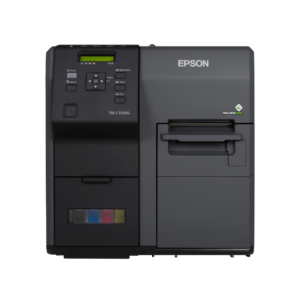
Epson ColorWorks TM-C7500G Gloss Inkjet Label Printer
Reliable color inkjet label printer ideal for high-volume environments, offering on-demand, full-color glossy printing at low costs.
- High-Speed Printing – Experience unmatched printing speeds up to 11.8 inches per second, enabling you to meet your business’s demands without sacrificing quality.
- High-Quality Results – With the PrecisionCore inkjet technology, the TM-C7500G delivers sharp text and precise barcodes, ideal for glossy labels that stand out.
- Cost-Effective – Utilizing high-yield ink cartridges, this printer reduces the need for frequent replacements, offering a low cost per label and minimal waste.
- Easy Integration – Thanks to the built-in ESC/Label language, integrating the TM-C7500G into your existing workflow is seamless, enhancing efficiency without extensive programming changes.
SKU: C31CD84311 -
Epson Label Printers, Colour Label Printers
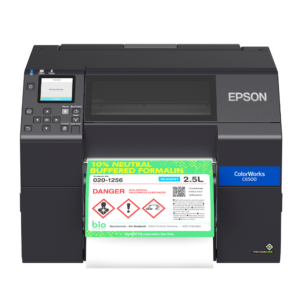
Epson ColorWorks CW-C6500P Color Inkjet Label Printer with Peel-and-Present
 Epson Label Printers, Colour Label Printers
Epson ColorWorks CW-C6500P Color Inkjet Label Printer with Peel-and-Present
Quality 8″ color label print and peel at a price comparable to thermal transfer.
- Print and Peel Technology – Featuring an innovative Peel-and-Present mechanism, this printer simplifies the labeling process, allowing for quick and effortless application of high-quality labels directly after printing.
- Speed and Efficiency – With a printing capability of 5 inches per second, the Epson ColorWorks CW-C6500P maximizes productivity, enabling your business to speed up its packaging process without sacrificing quality.
- Exceptional Print Quality – Enjoy vivid, crisp images and text with up to 1200 dpi resolution, ensuring your labels capture the eye with their clarity and color accuracy.
- Versatile Connectivity – Easily integrate the CW-C6500P into your existing systems with support for ZPL II, major middleware, SAP, and compatibility with Windows®, Mac®, and Linux platforms.
- Robust Construction – Designed by Epson with reliability in mind, this printer is engineered for the most demanding applications and is supported by industry-leading service.
SKU: C31CH77201 -
Epson Label Printers, Colour Label Printers
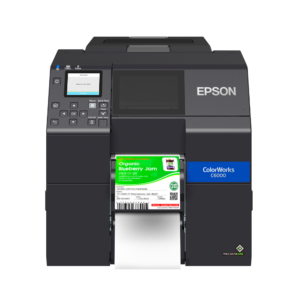
Epson ColorWorks CW-C6000P Color Inkjet Label Printer with Peel-and-Present
 Epson Label Printers, Colour Label Printers
Epson ColorWorks CW-C6000P Color Inkjet Label Printer with Peel-and-Present
Quality 4″ color label print and peel at a price comparable to thermal transfer.
- Efficient Peel-and-Present Technology – Simplify label application with the built-in peeler, enhancing productivity and reducing manual labor.
- Superior Print Quality – Achieve crisp, vibrant labels with up to 1200 dpi resolution and various droplet sizes, ensuring stunning image quality comparable to pre-printed labels.
- Fast Print Speeds – With speeds up to 5 inches per second, accelerate your labeling process and eliminate the need for pre-printing.
- Seamless Integration – Compatible with ZPL II, major middleware, SAP, Windows®, Mac®, and Linux, this printer seamlessly integrates into your existing workflow.
- Versatile Ink Cartridges – Utilize Epson CW-C6000P ink cartridges, featuring cyan, magenta, yellow, and black, filled with Epson UltraChrome® DL pigment ink.
- Hardware Features – Compatible with all popular operating systems, remote management capabilities, and an I/O control port for seamless connectivity.
SKU: n/a -
Epson Label Printers, Colour Label Printers
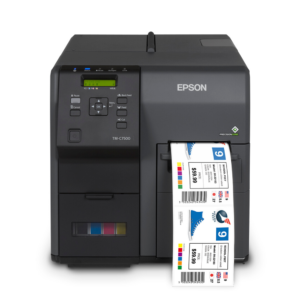
Epson ColorWorks TM-C7500 Matte Inkjet Label Printer
This color label printer is engineered for efficiency, precision, and reliability, making it an essential tool for businesses requiring high-quality, full-color labels on demand.
- High-Speed Printing – Accelerate your label production with speeds up to 11.8 inches per second, allowing rapid creation of full-color labels with variable data.
- Cost Efficiency – Utilize high-yield ink cartridges for fewer changes and reduced waste, surpassing the efficiency of most thermal transfer printers and lowering operational costs.
- Seamless Integration – Incorporate the printer seamlessly into your existing workflow with the built-in ESC/Label language, simplifying the transition and enabling easy color additions through straightforward programming.
- Exceptional Print Quality – Benefit from PrecisionCore inkjet technology for sharp text and precise barcodes, ensuring professional-quality labels every time. The TM-C7500 excels with matte label rolls, enhancing the appearance of your products.
SKU: C31CD84011